ROUTE Copy
When making route modifications, the FMC presents the opportunity to create a copy of the current route prior to executing any changes.
ルート修正を行う時、FMC は変更を実行する前に現在のルートのコピーを作る機会を与えます
Pressing the “RTE COPY>” prompt at the 5R LSK transfers a copy of the active route into the inactive route.
5R LSK "RTE COPY >" を押すことにより、アクティブルートのコピーがインアクティブルートに送られます
Using our previous example where we demonstrated abeam points, pressing the 5R LSK prior to pressing the EXEC key places a copy of the original route into RTE 2.
前の例で、アビームポイントのデモのとき、EXEC キーを押す前に 5R LSK を押してオリジナルルートを RTE 2 にコピーします
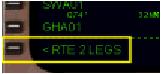
After executing the modification, we can access the copied route by pressing the “<RTE 2 LEGS” prompt at the 6L LSK.
修正の実行の後、"< RTE 2 LEGS" 6L LSK を押すことによりコピーしたルートを呼び戻すことができます
051

When the inactive route is displayed (in this case RTE 2), the active route remains pink on the EHSI, while the inactive route waypoints listed on the LEGS page are drawn using white dashed lines.
インアクティブルートが表示 ( このケースでは RTE 2 ) されたとき、アクティブルートは EHSI 上にピンクで残り、LEGS ページ上にリストされているインアクティブルートのウェイポイントは白色の点線で描かれます
The waypoints shown in the RTE 2 LEGS listing are the original waypoints in the route prior to executing the direct BKW modification.
RTE 2 LEGS にリストされているウェイポイントは、BKW へのダイレクトの修正が実行される前のルート上のオリジナルウェイポイントです
This route is here as a result of pressing the RTE COPY prompt.
このルートは RTE COPY プロンプトを押した結果としてここに表示されています
It is possible to restore the original route by activating and executing RTE 2.
RTE 2 をアクティブに実行することによりオリジナルルートに戻すことが可能です
To do this, press the “ACTIVATE>” prompt at the 6R LSK and then the EXEC light when illuminated.
これを行うには、6R LSK "ACTIVATE >" を押します。EXEC が点灯します
The original route is then restored as the FMC has switched to using RTE 2 as shown below.
オリジナルルートはリストアされ、FMC は RTE 2 を使うように切り替わります

The now previously active route is still stored in RTE 1.
今の前のアクティブルートはまだ RTE 1 に残っています
Switching back to using RTE1 can be accomplished using the same procedure outlined above.
RTE 1 に切り替え直しは上と同じ手順で完了できます

